Your phone’s default video app is basically treating you like a toddler. It over sharpens everything, aggressively crushes your shadows, and completely locks you out of the heavy duty settings you actually need to create cinematic art.
Filmic Pro v7 rips the training wheels off entirely. We are talking about the exact same software Steven Soderbergh used to shoot full Hollywood feature films like Unsane, and the engine behind massive, multi million dollar music videos for Lady Gaga, Selena Gomez, and John Legend. It turns a piece of glass in your pocket into a legitimate, professional cinema camera.
A MASSIVE INTERFACE REDESIGN THAT ACTUALLY MAKES SENSE
The developers completely rebuilt this beast from the ground up for v7, and the workflow is incredibly smooth.
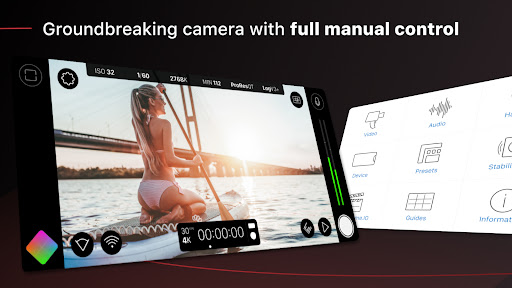
Instead of hiding crucial settings behind five layers of annoying sub menus, they built Quick Action Modals that drop all the essential functionality right onto the main screen. The redesigned manual sliders give you beautifully precise, discrete control over your ISO, shutter speed, and zoom. They even added a dedicated Action Slider that feeds you a real time readout of your white balance and gamma curves. Got a specific tool you use constantly? Just map it to the Custom Function button so it is literally always one tap away.
TRUE CINEMA TECH IN YOUR POCKET
If you actually care about color grading, the feature list here is going to absolutely blow your mind.
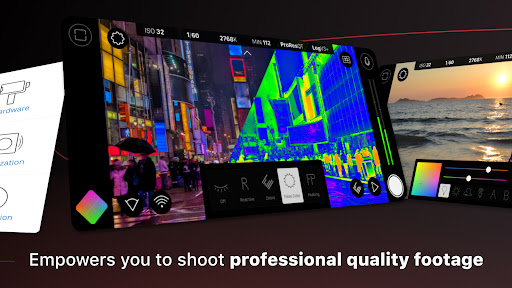
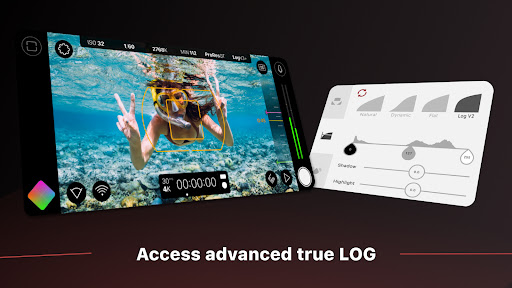
You can shoot in totally flat or Log gamma curves to preserve every single ounce of dynamic range. If you hate grading in post, you can slap on Realtime Film Looks to get a cinematic vibe straight out of the camera. The app packs a massive live analytic suite meaning you get real time zebras, false color, and focus peaking so your shots are never soft or accidentally blown out. It fully supports 10 bit HDR, and you can even hook it directly into Frame.io’s Camera to Cloud system to instantly beam your dailies to an editor sitting halfway across the globe.
RIG IT UP FOR HEAVY DUTY SHOOTS
A gorgeous image is totally useless if the audio sounds like garbage.
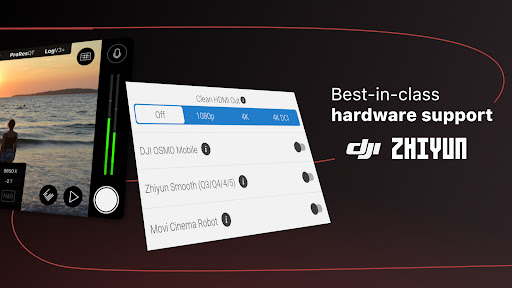
The app hands you advanced manual input gain controls and headphone monitoring so you know exactly what your microphones are picking up on set. It also plays incredibly well with third party gear. Snapping on a 1.33x or 1.55x anamorphic lens? The app instantly desqueezes the footage for you. Flying your phone on a DJI Osmo, Zhiyun Smooth, or Movi cinema robot? It integrates perfectly with the hardware. You can even run a clean HDMI out to turn your phone into a ridiculously overpowered, pro level webcam.
THE REALITY CHECK ON HARDWARE AND PRICING
Here is the honest truth about mobile video: not all phones are created equal.
Before you spend a dime, you absolutely need to download the free Filmic Pro Evaluator app. It quickly scans your specific device and tells you exactly which high speed framerates, resolutions, and features your internal hardware can actually support.
Once you know your phone is up to the task, the app runs on a simple weekly or annual subscription model. Your payment gets charged immediately upon confirmation, and it does auto renew. If you are just grabbing it for a quick weekend passion project, make sure you kill the auto renew in your settings at least 24 hours before the billing cycle ends.
Stop settling for the basic camera app and start shooting actual films.