Most default mobile browsers are essentially just massive data harvesting machines disguised as search tools. Every time you look up a product, hunt for a new mobile app to download, or read an article, invisible trackers are quietly building a terrifyingly accurate profile of your entire life. Whether you are grabbing a coffee in New York, riding the Tube in London, or working late in Sydney, you need actual privacy. That is exactly where Firefox steps in and completely takes your digital life back.
DEFAULT PRIVACY WITHOUT THE HEADACHE
You shouldn’t need a degree in computer science to stop companies from following you around the internet.
Firefox just blocks the garbage by default. The second you install it, Enhanced Tracking Protection automatically suffocates those sneaky social media trackers, hidden crypto miners, and annoying digital fingerprinters. They also use this brilliant feature called Total Cookie Protection. It literally locks a tracking cookie to the specific site that originally created it, completely breaking the ability for advertisers to stalk your habits across completely different websites. You just get to browse in peace without constantly digging through confusing settings menus.
GOING COMPLETELY OFF THE GRID
Sometimes you need an actual private session that doesn’t leave a paper trail.
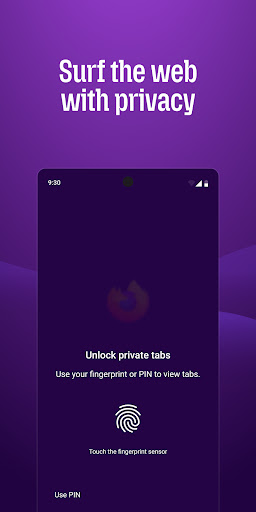
When you fire up private browsing mode, the app leaves zero history, saves absolutely no searches, and actively dumps your cookies the second you are done. But here is the absolute best part. If you step away from your phone or switch apps, your private tabs automatically lock themselves down. The only way back in is by using your fingerprint or device PIN. So if someone borrows your phone to make a quick call, your private searches stay entirely hidden.
BROWSE EXACTLY HOW YOU WANT
Stop letting tech giants dictate how your screen looks.
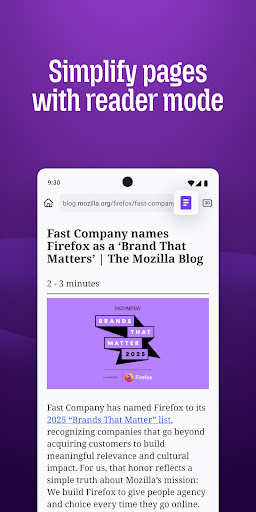
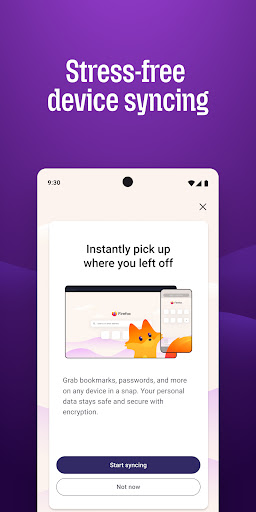
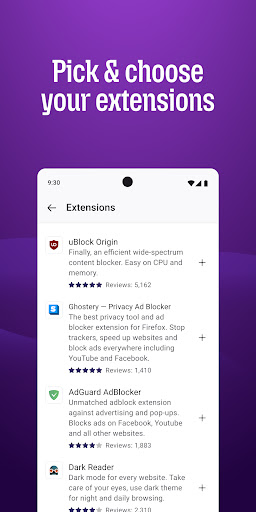
You can aggressively customize this browser to fit your exact workflow. You want the search bar at the bottom of the screen so you can easily reach it with one thumb? Done. Want to strip out all the flashing ads and messy formatting from an article? Just hit Reader Mode and actually focus on the text. You can easily install massive, heavy hitting extensions like proper ad blockers to clean up your feed. Plus, it seamlessly syncs your secure passwords, bookmarks, and open tabs across all your devices the second you sign in.
BUILT FOR PEOPLE, NOT CORPORATE PROFIT
This is the core reason this browser still matters so much.
Mozilla built Firefox way back in 2004 as a massive middle finger to the slow, restrictive browsers of the time. Today, they are still operating as a nonprofit. They aren’t trying to lock you into a single corporate ecosystem or secretly sell your browsing habits to the highest bidder. They just want the internet to actually be usable again.
Stop handing your personal data over for free. Download a browser that actually respects your privacy.