THE ULTIMATE MOBILE CAD EXPERIENCE
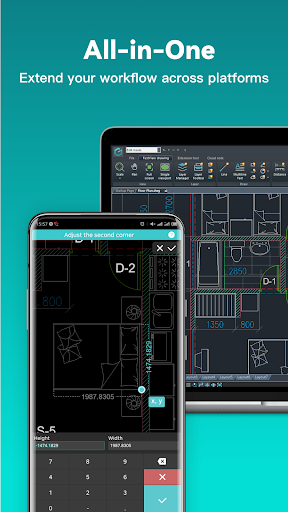
Whether you are on a construction site, meeting a client, or just working away from your main workstation, having access to your CAD files is essential. DWG FastView has become the go to application for professionals needing to quickly view and edit 2D and 3D drawings on the go. With over a hundred million installs worldwide, it is a highly trusted, cross platform tool that lets you do real, accurate CAD work directly from your mobile device.
SEAMLESS 3D MODELING AND VIEWING
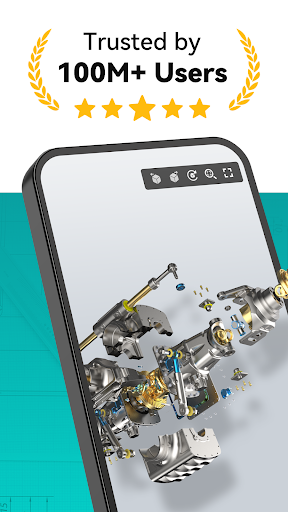
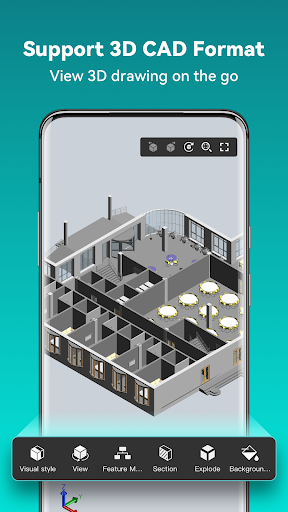
The app is built to handle heavy, complex designs. It fully supports mainstream 3D design software that is industry standard, including Revit, Solidworks, NX, CATIA, Inventor, SolidEdge, and Pro/E. You can browse over thirty different 3D drawing formats right on your phone. It doesn’t just display a static image, either. You can actively preview assembly parts, explode models, section designs, and take precise 3D measurements for distances, arc lengths, and surfaces. It also supports PMI display, free color matching, and multiple viewing angles.
NO REGISTRATION AND FULL OFFLINE ACCESS
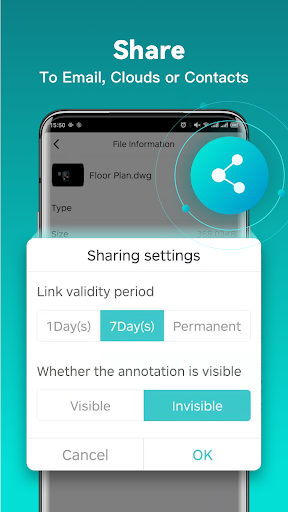
One of the biggest frustrations with mobile productivity apps is being forced to create an account before you can even see the interface. You can download DWG FastView and start using it immediately without any registration required. If you are working in an area with a spotty internet connection, you can save your masterpieces directly to your local workspace. When you do have internet access, it seamlessly connects to your favorite cloud services like Dropbox, OneDrive, Google Drive, and Box for easy sharing and editing.
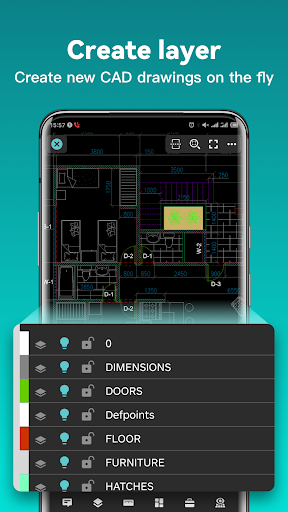
This is not just a viewer; it is a fully capable digital workspace. You have complete compatibility with all versions of AutoCAD DWG and DXF files with absolutely no file size limits. You can move, copy, scale, rotate, and color objects just like you would on a desktop. The advanced editing tools allow you to trim, offset, manage layers, and input precise 2D or 3D coordinates to ensure your drafting is perfectly accurate. You can even draw lines, polylines, arcs, and revision clouds from scratch.
EXPORT AND CONVERT FILES EFFORTLESSLY
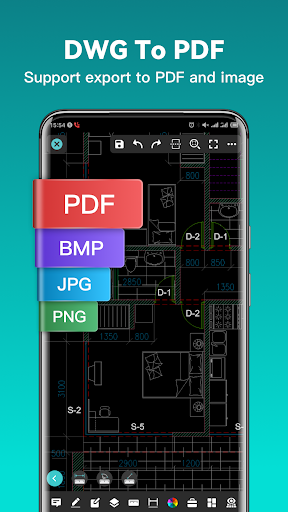
Getting your files into the right hands in the right format is a breeze. You can easily transfer your CAD drawings into PDF format while customizing the paper size, orientation, and color to fit standard printing requirements. If you need to send a quick visual to a client, you can export the file as a high quality JPG, PNG, or BMP. The app also features powerful conversion tools that let you switch between different CAD versions or even convert a PDF directly into a working DWG file.
INTUITIVE VISUAL MODES AND NAVIGATION
Navigating a massive blueprint on a smaller screen is remarkably fluid. You can easily switch between 2D and 3D visual modes, taking advantage of realistic, wireframe, and hidden 3D perspectives. Simply touch and drag to rotate your 3D models a full 360 degrees to find the perfect viewing angle. If you are working on a dense 2D floor plan, a built in magnifier pops up when you touch the screen, giving you an enlarged view of the area so you can easily snap objects and view fine details without constantly zooming in and out.
UPGRADE FOR PROFESSIONAL CAPABILITIES
While the core features give you incredible flexibility, you can take your workflow a step further by upgrading to the Premium or Super tiers. These subscription plans unlock the most advanced editing and drawing tools the platform has to offer, giving you desktop level control in the palm of your hand. The upgrades are available on both monthly and annual plans, allowing you to choose the setup that best fits your professional needs.