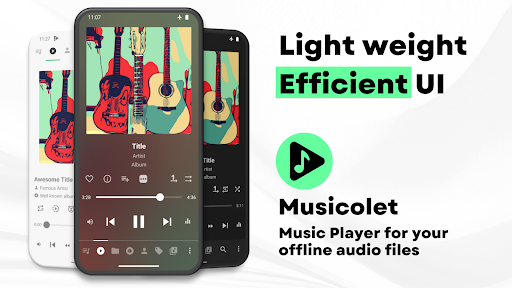
In an era where every major music service demands a ridiculous monthly subscription just to let you shuffle your own tracks, finding a genuinely good offline player feels like hunting for a unicorn. If you are someone who actively curates the absolute best mobile apps to keep your digital life running smoothly, you already know how rare it is to find a piece of software that doesn’t track your every move. You just want to play the massive library of high res audio files sitting on your SD card without being targeted by ads or forced online. That is exactly where Musicolet steps in and completely wrecks the competition.
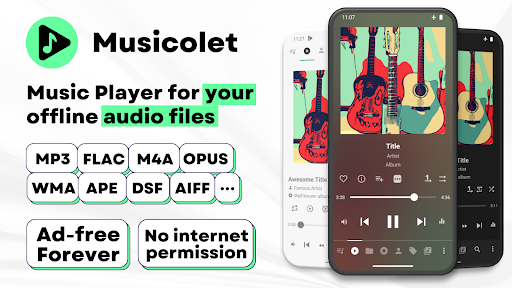
Just a quick heads up before you get too excited: this is a strictly local audio player. It does not stream, and it does not search the web for new downloads. Honestly? That offline isolation is its absolute biggest superpower.
THE ULTIMATE MULTI QUEUE EXPERIENCE
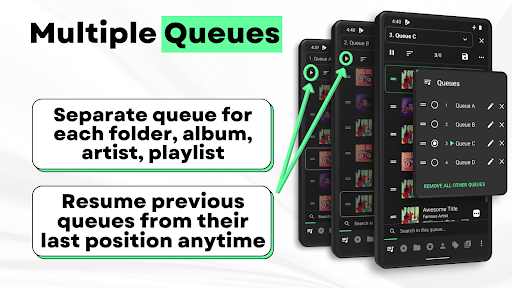
Most default media players force you into a single, clunky playlist. You switch from an aggressive gym mix to a calm acoustic album, and your original queue is completely wiped out.
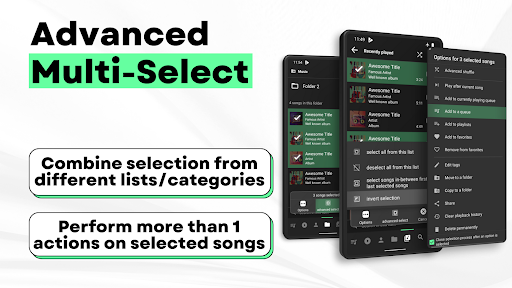
This app fixes that annoying problem instantly by letting you run multiple independent queues at the exact same time. You can maintain a separate lineup for your favorite albums, specific artists, or custom folders, and seamlessly jump between them without losing your spot. Navigating this beast is ridiculously fast, too. The UI crams all the heavy hitters—your main player, folders, and queues—into a single, easy to reach row. One tap, and you are exactly where you need to be.
Messy track metadata drives audiophiles absolutely crazy.
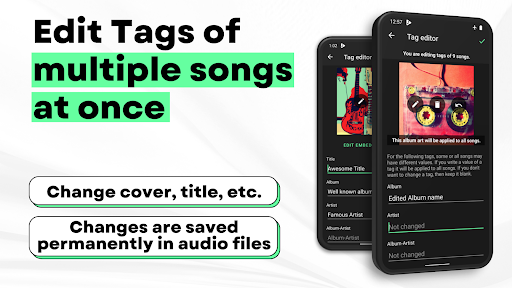
Instead of downloading a separate app just to fix your misspelled track titles, you get a massively powerful tag editor baked right in. You can batch edit tags and swap out album art for multiple songs in one shot. It plays basically every high quality format you throw at it, including lossless FLAC, ALAC, Opus, and M4A. Need to reorganize your storage? You can move, copy, and rename folders directly inside the app. It even gives you two distinct ways to browse your directories: a flat linear list of folders or a deep, hierarchical tree view.
PERFECT SYNCED LYRICS AND AUDIO TWEAKS
There is nothing quite like belting out your favorite tracks with the lyrics rolling perfectly in time with the music.
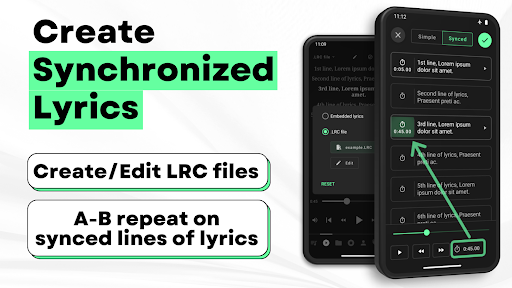
The app fully supports embedded ID3 lyrics and standalone .lrc files. Because the app is completely offline, it won’t fetch lyrics automatically from the web, but the integrated editor lets you paste them in and sync the timing flawlessly yourself.
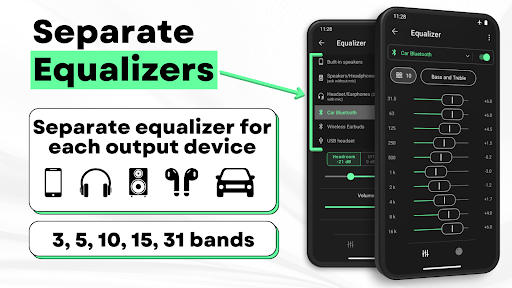
On the audio side, the built in equalizer is an absolute powerhouse. You don’t just get one generic sound profile. You can dial in entirely separate EQ settings for your phone speakers, your wired headphones, and your Bluetooth earbuds. It also features full Android Auto support, throwing massive, easy to read playback controls right onto your car’s dashboard during your morning commute.
ZERO ADS AND ABSOLUTE PRIVACY
Let’s talk about the absolute best part of this entire project. It is 100% free, and there is not a single ad in sight.
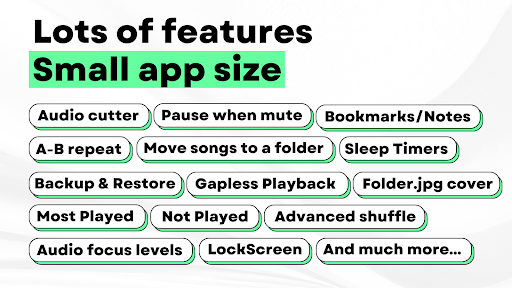
No pop ups ruining your vibe. No banner ads eating up your screen real estate. The developers actually built this thing without even requesting internet permissions from your device. It is a completely locked down, private experience. You get slick light and dark themes, gorgeous home screen widgets, automated sleep timers, and a rock solid backup system to save all your custom playlists and play counts safely.
Stop relying on bloated streaming apps that drain your battery and chew through your data. Load up your storage, grab this app, and take your music library back.