Better Screenshots mockup generator
Snapmod - Screenshot Mockups 2.5.1 (Premium Unlocked)
| Name | Snapmod - Screenshot Mockups |
|---|---|
| Publisher | BLUE BIU STUDIO |
| Genre | Tools |
| Size | 69 MB |
| Version | 2.5.1 |
| MOD | Premium Unlocked |
| Get it On |  |
| Rating |
Better Screenshots mockup generator
| Name | Snapmod - Screenshot Mockups |
|---|---|
| Publisher | BLUE BIU STUDIO |
| Genre | Tools |
| Size | 69 MB |
| Version | 2.5.1 |
| MOD | Premium Unlocked |
| Get it On | |
| Rating |
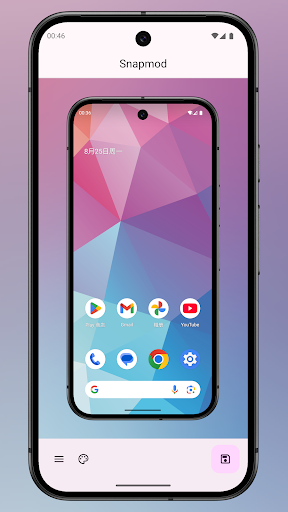
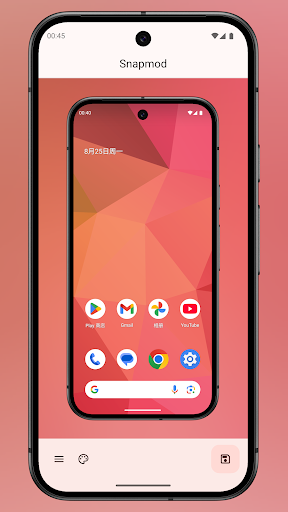
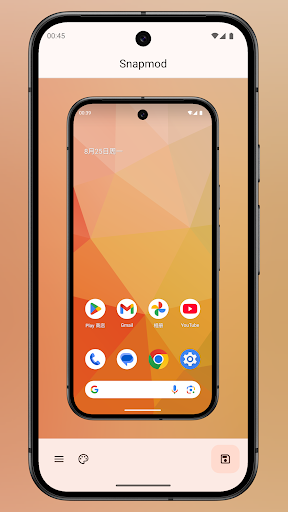
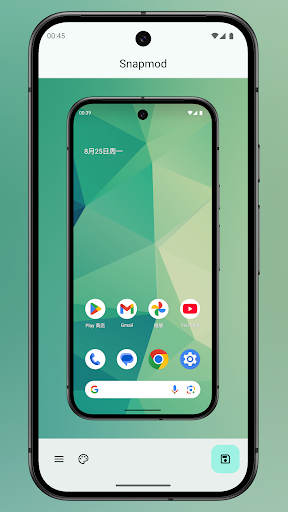
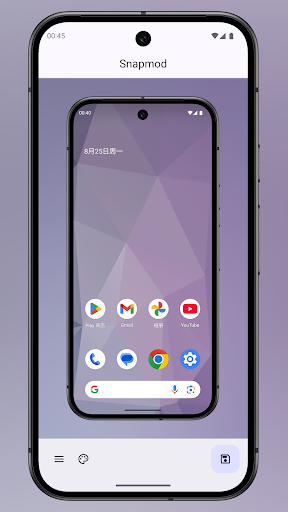
Whether you are trying to show off a new app design, share a cool wallpaper, or put together a professional presentation, a plain screen grab just doesn’t cut it. Snapmod completely changes the game here. It takes your basic images and instantly wraps them inside gorgeous digital device mockups. Instead of fighting with complicated desktop software, you can drop your photos into sleek phone or tablet frames right from your device, making your content look incredibly polished with zero stress.
Nobody wants to look at a flat, boring image floating in a sea of white space. Dropping your screenshot into an accurate digital model of a phone gives it immediate context and serious visual appeal. The app gives you massive control over how these mockups actually look. Want to tweak the color of the device frame to match your specific aesthetic? Done. Need to preview the exact layout before firing it off to your team or your followers? Easy. It takes what used to be a tedious graphic design chore and turns it into a few quick taps. Honestly, these polished mockups are absolute lifesavers for marketing pitches, classroom demos, or just making your social feeds look infinitely better.
Adding depth and flair to a photo shouldn’t require a master’s degree in editing. Snapmod handles background layers and blur effects entirely on autopilot. When you slide a screenshot into a frame, the app actively reads the dominant colors and automatically generates a perfectly matching background sheet. It is insanely smart.
If you want that slick, modern frosted glass look, you can throw on a Gaussian blur with a single swipe to soften the background. You can even dial up the pixel noise if you are going for a more textured, gritty vibe. The fact that these filters and layers apply themselves automatically saves a ridiculous amount of manual editing time. You just focus on the design, and the app handles the technical heavy lifting.
A powerful editing tool is completely useless if the menus are a nightmare to navigate. Thankfully, the developers leaned heavily into Material Design 2 for the interface. It is beautifully clean, totally intuitive, and honestly just looks brilliant.
Because the layout uses flat, smartly stacked layers, the entire workspace feels incredibly organized and gives a great sense of depth. You aren’t constantly digging through hidden menus or swiping around blindly to find a specific filter. Every essential tool sits right there on the main screen waiting for you. The performance is incredibly reliable, giving you a completely seamless experience from the second you snap a picture to the moment you hit share.
– Enhanced stability for fast and reliable performance
You are now ready to download Snapmod - Screenshot Mockups for free. Here are some notes: